
Description
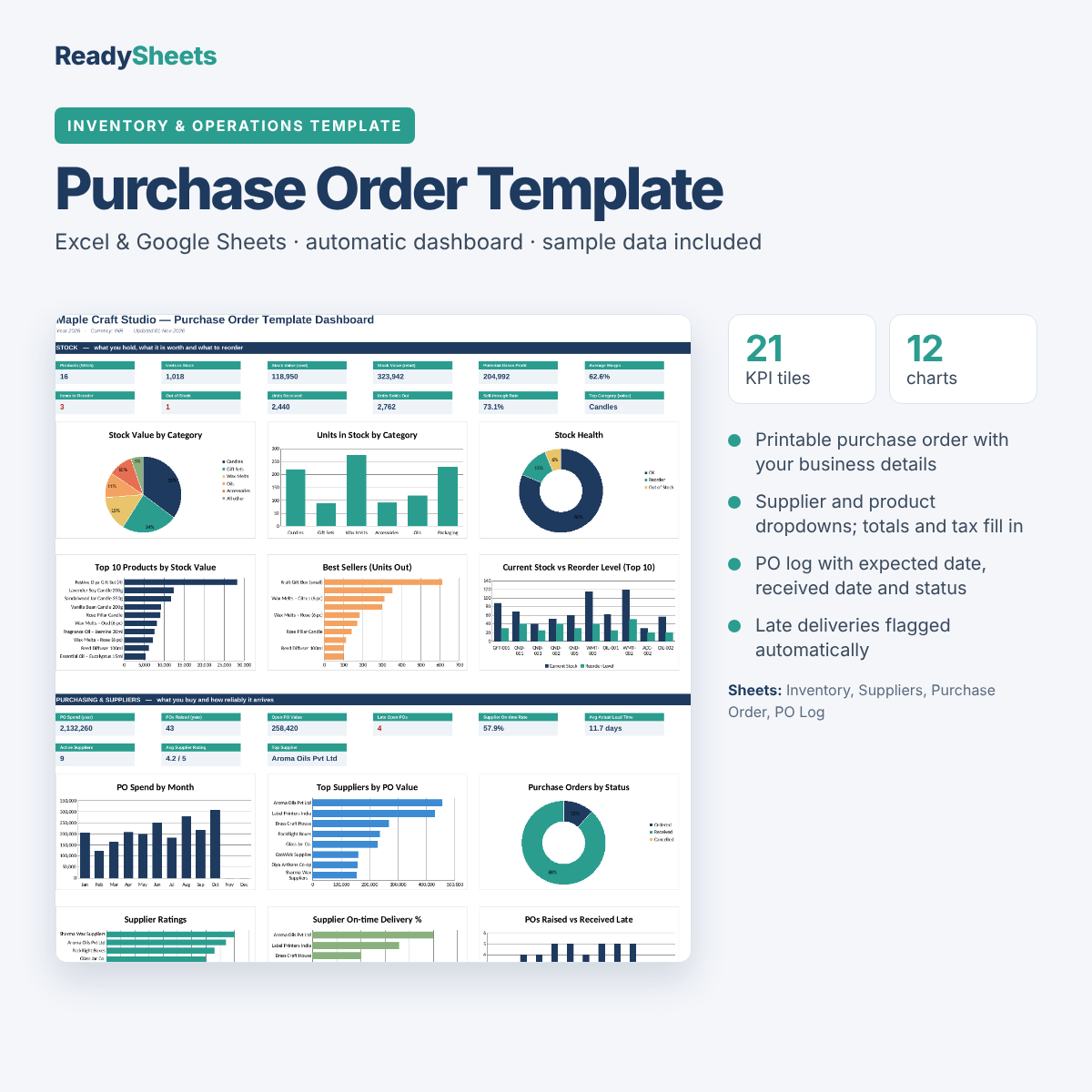
Order stock the professional way. Pick a supplier and products, the purchase order fills in details and totals, and the PO log tracks what is pending, late or received. This purchase order template works in Excel and Google Sheets.
What it does
- Printable purchase order with your business details
- Supplier and product dropdowns; totals and tax fill in
- PO log with expected date, received date and status
- Late deliveries flagged automatically
- Dashboard with purchases by month, supplier performance and stock
How it works
- Settings: add your business details and tax rate.
- Suppliers and Inventory: add suppliers and the products you buy.
- Purchase Order: fill in the PO, print it, then log it in the PO Log.
What’s inside
Start Here guide, Dashboard (21 headline numbers and 12 charts), Inventory, Suppliers, Purchase Order, PO Log, Analysis and Settings sheets.
Good to know
- Excel and Google Sheets: open it in Microsoft Excel, or upload it to Google Drive and choose Open with → Google Sheets. Formulas, dropdowns and charts carry over.
- Colour-coded: blue cells are for your entries, grey cells calculate automatically, so you can’t break a formula by accident.
- Sample data included: a demo business fills every sheet so the dashboard works from day one. Clear the blue cells when you start.
- Any currency: amounts show without a symbol, and you set your currency once in Settings.
Want every template?
This template is part of the Small Business Complete Bundle: all 38 templates in six workbooks, each with its own dashboard.
Step-by-step guide
New to this? Read our guide: How to Create a Purchase Order in Excel.
Delivery
Instant download right after payment. The download link is also emailed to you and works up to 5 times within 30 days. One-time payment, no subscription. As a digital product, it is non-refundable once downloaded, but if a file is faulty we fix it, replace it or refund you. See our refund policy.
Reviews
There are no reviews yet.