
Description
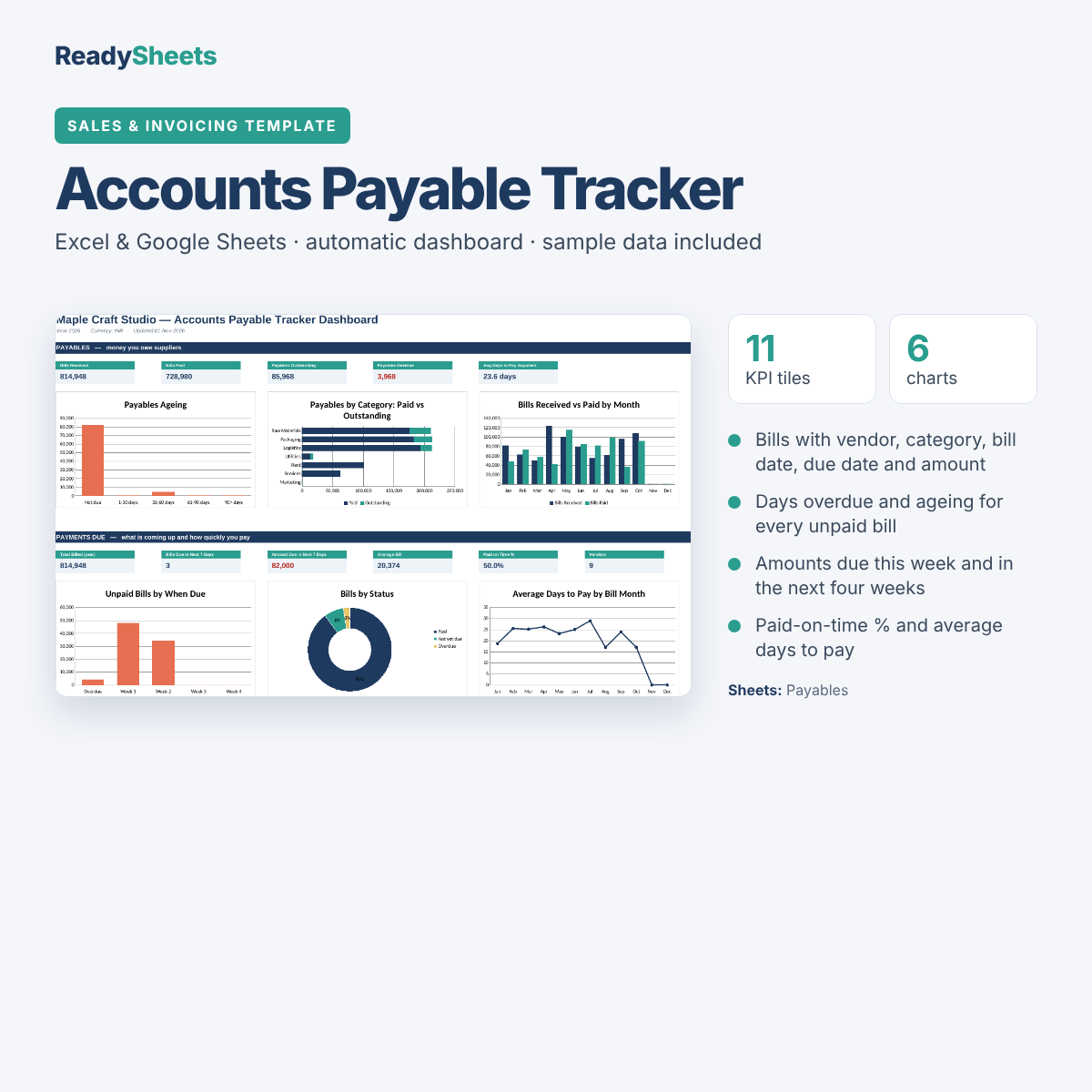
Never miss a supplier payment again. Record bills as they arrive, and the tracker shows what is due this week, what is overdue and how quickly you pay.
What it does
- Bills with vendor, category, bill date, due date and amount
- Days overdue and ageing for every unpaid bill
- Amounts due this week and in the next four weeks
- Paid-on-time % and average days to pay
- Dashboard with payables ageing, bills by category and upcoming payments
How it works
- Settings: enter your business name, currency and report year.
- Payables: add each bill with its due date; mark it Paid with the date when you pay.
- Dashboard: check what is due next and what is overdue.
What’s inside
Start Here guide, Dashboard (11 headline numbers and 6 charts), Payables, Analysis and Settings sheets.
Good to know
- Excel and Google Sheets: open it in Microsoft Excel, or upload it to Google Drive and choose Open with → Google Sheets. Formulas, dropdowns and charts carry over.
- Colour-coded: blue cells are for your entries, grey cells calculate automatically, so you can’t break a formula by accident.
- Sample data included: a demo business fills every sheet so the dashboard works from day one. Clear the blue cells when you start.
- Any currency: amounts show without a symbol, and you set your currency once in Settings.
Want every template?
This template is part of the Small Business Complete Bundle: all 38 templates in six workbooks, each with its own dashboard.
Delivery
Instant download right after payment. The download link is also emailed to you and works up to 5 times within 30 days. One-time payment, no subscription. As a digital product, it is non-refundable once downloaded, but if a file is faulty we fix it, replace it or refund you. See our refund policy.
Reviews
There are no reviews yet.