
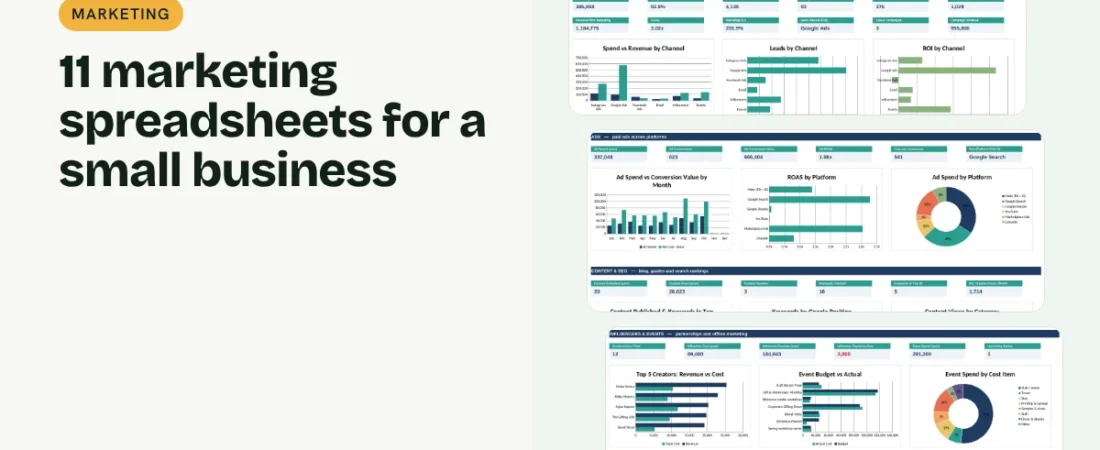
Marketing spreadsheets for small business owners solve one stubborn problem: you spend money on ads, posts, emails and events, but you cannot tell which of them actually bring customers. A small set of linked spreadsheets fixes that. This guide walks through the 11 marketing spreadsheets we recommend, grouped into four jobs: plan and budget, run paid and email marketing, publish content that ranks, and understand your customers and competitors.
1. Plan and budget before you spend
A Marketing Budget & ROI sheet sets a budget for each channel and month and records spend, leads, customers and revenue, so cost per lead, customer acquisition cost and ROI work themselves out. A Campaign Planner gives every campaign dates, a budget and a target, and an Event Planner & Budget costs every stall, trip and banner before you commit.
2. Track paid ads and email
An Ad Spend Tracker takes your weekly numbers from Meta, Google and marketplace ads and shows CPC, cost per conversion, ROAS and whether you are on pace with the monthly budget. An Email Campaign Tracker records every send with open, click and unsubscribe rates and the revenue it brought in.
Example: a 30-minute monthly marketing review
| Step | Sheet | What to check |
|---|---|---|
| 1 | Marketing | Spend vs budget and ROI by channel |
| 2 | Ads | ROAS by platform; pause anything below 1x |
| 3 | Open rate trend and revenue per email | |
| 4 | SEO | Keywords that moved into or out of the top 10 |
| 5 | Influencers | Payments due and ROI per creator |
| 6 | Dashboard | Move next month’s budget to the best channel |
Thirty minutes a month is enough to stop wasting money on channels that do not pay back.
3. Work with influencers properly
An Influencer Collaboration Tracker follows each creator from shortlist to payment: fee, product sent, promo code, reach, orders and ROI. Payments due are flagged so nobody chases you for money.
4. Publish content that gets found
A Social Media Content Calendar plans posts and records reach and engagement. A Blog & Content Planner takes articles and guides from idea to published and flags anything overdue. An SEO Keyword Tracker records your Google position for each keyword every month, so you can see what is climbing and estimate the clicks it brings.
5. Listen to customers and watch competitors
A Customer Feedback log tracks ratings, Net Promoter Score and issues until they are resolved. A Competitor Analysis sheet scores you and your rivals on price, quality, range, brand, online presence and service, so you know where to compete.
Tips for marketing spreadsheets that stay useful
Track revenue, not just clicks
Likes and clicks are nice; orders and revenue decide where your next rupee goes.
Use promo codes and UTM links
A code per influencer or campaign is the simplest way to tie a sale back to its source.
Update ranks on the same day each month
SEO positions move daily. Checking on the same date keeps the trend honest.
Set a budget before every event
Most event overspend is small items: travel, stay and printing. Cost them first.
FAQs
How do I calculate marketing ROI in Excel?
Subtract what you spent from the revenue it brought in and divide by what you spent. The Marketing Budget & ROI template does this for every channel and month.
What is a good ROAS?
It depends on your margin. If your gross margin is 50%, you need a ROAS above 2x just to break even on the ad spend.
Do these templates work in Google Sheets?
Yes. Upload the Excel file to Google Drive and open it with Google Sheets. Formulas, dropdowns and charts carry over.
Can I track SEO rankings in a spreadsheet?
Yes. Note your Google position for each keyword once a month and the tracker shows the latest, best and change since you started.
Where can I get all 11 templates?
Our Marketing Bundle has all 11 linked in one workbook with a dashboard and quick start guide.
Get the template
Get all 11 marketing spreadsheets for small business, linked in one workbook with a dashboard, in the Marketing Bundle. It works in Excel and Google Sheets and comes with sample data and a PDF quick start guide.
Related guides: How to Calculate Marketing ROI in Excel · How to Plan a Marketing Campaign in Excel · How to Create a Social Media Content Calendar in Excel · How to Calculate NPS in Excel and Track Customer Feedback