
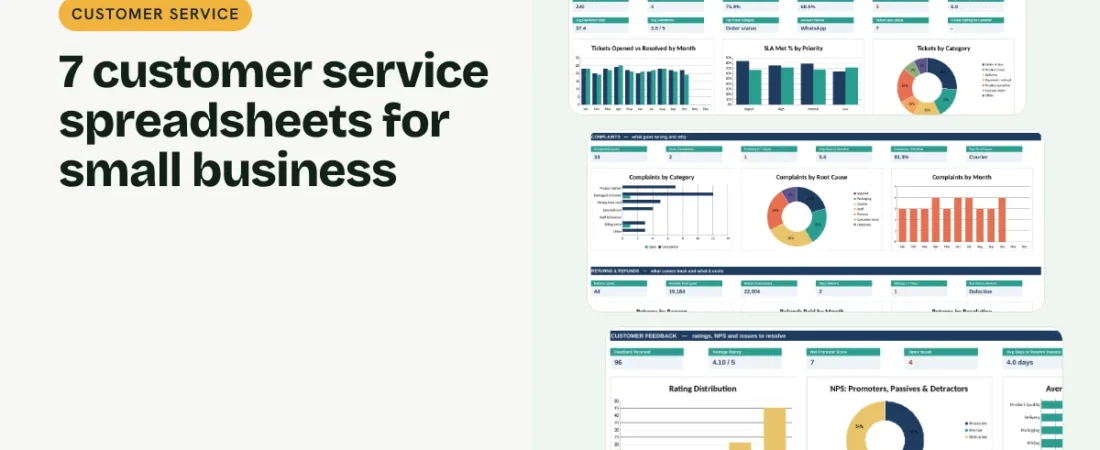
Customer service spreadsheets give a small business what a help desk gives a big one: every query logged, every promise timed and every problem traced to its cause. You do not need expensive software for that. Seven linked spreadsheets cover tickets, response targets, complaints, returns, warranties and customer feedback. This guide walks through each one and how they work together.
1. Keep one customer list
A Customer Database gives every customer an ID, segment, first and last purchase and lifetime spend. Status (active, at risk or lapsed) and loyalty tier update on their own, and every other sheet looks up names from this list.
2. Log every query as a ticket
A Support Ticket Tracker records each question or problem with the time it arrived, the channel, a category, a priority and the agent handling it. When you reply and when you resolve it, the sheet works out the hours taken.
Example: SLA targets for a small team
| Priority | First reply within | Fixed within | Example |
|---|---|---|---|
| Urgent | 1 hour | 8 hours | Order not delivered for an event today |
| High | 4 hours | 24 hours | Damaged item received |
| Normal | 8 hours | 48 hours | Question about an order |
| Low | 24 hours | 96 hours | General product question |
Start with targets you can actually meet, then tighten them once you hit 90% or more.
3. Set response targets and measure them
An SLA Response Tracker holds your targets, for example a first reply within 4 hours for high-priority tickets and a fix within 24. It shows the share of tickets that met each target by priority, agent and month, and flags tickets that are past their target right now.
4. Treat complaints and returns as data
A Complaint Register records severity, root cause and the corrective action, so you can fix the cause instead of apologising again. A Returns & Refunds Tracker records reason, resolution, refund and shipping cost, and flags requests waiting more than a week.
5. Look after customers after the sale
A Warranty & AMC Tracker works out end dates, flags contracts expiring in 30 days, schedules service visits and shows the value of renewals coming up. A Customer Feedback log tracks ratings and Net Promoter Score so you know whether all this is working.
Tips for better customer service with spreadsheets
Log everything, even quick WhatsApp replies
If it is not logged, you cannot see the pattern behind it.
Review root causes monthly
One packaging change can remove a third of your complaints.
Agree a returns policy and stick to it
Clear rules make the refund decision quick and fair.
Call before a contract expires
Renewals are easiest 30 to 60 days before the end date.
FAQs
What is an SLA in customer service?
A service level agreement is a promise about how fast you will respond to and resolve a customer issue, usually set by priority.
How do I calculate response time in Excel?
Subtract the time the ticket arrived from the time of your first reply and multiply by 24 to get hours. The Support Ticket Tracker does this for you.
Do these templates work in Google Sheets?
Yes. Upload the Excel file to Google Drive and open it with Google Sheets. Formulas, dropdowns and charts carry over.
What is a good Net Promoter Score?
Anything above 0 means more promoters than detractors; above 30 is good for most small businesses.
Where can I get all 7 templates?
Our Customer Service Bundle has all 7 linked in one workbook with a dashboard and quick start guide.
Get the template
Get all 7 customer service spreadsheets, linked in one workbook with a dashboard, in the Customer Service Bundle. It works in Excel and Google Sheets and comes with sample data and a PDF quick start guide.
Related guides: How to Build a Customer Database in Excel · How to Calculate NPS in Excel and Track Customer Feedback · How to Track Customer Orders in Excel