
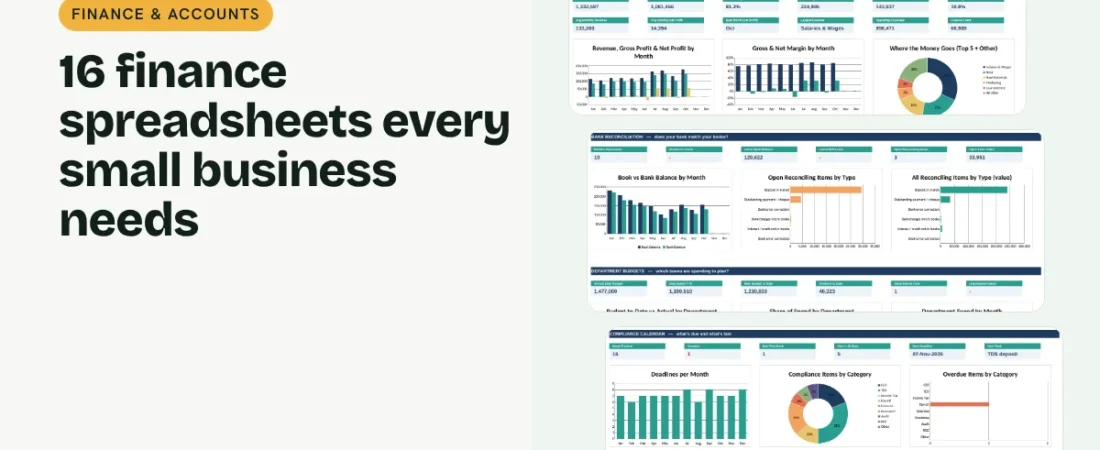
Finance spreadsheets for small business owners do one job: show you, at any moment, how much you earned, what you spent, what you owe and what is due next. You do not need accounting software to get there. A small set of linked spreadsheets covers almost everything a shop, studio, agency or small manufacturer needs. This checklist walks through the 16 finance spreadsheets we recommend, grouped into four simple jobs: record, plan, report and stay compliant.
1. Record every rupee
Start with an Income & Expense Tracker. Every sale and expense goes in one list with a date, category and amount, and everything else builds on it. Add a Petty Cash Log for small cash spends, an Employee Expense Claims sheet so staff reimbursements follow a policy, and a Recurring Bills & Subscriptions list so rent, software and insurance renewals never surprise you.
2. Plan before you spend
A Monthly Budget Planner sets a limit for each category and shows actual spending next to it. A Department Budget vs Actual sheet does the same for teams such as production, sales and admin. Add a 12-month Cash Flow Forecast so you can see a cash crunch coming, and use a Pricing Calculator and Break-even Calculator to make sure every product earns its keep.
Example: a 30-minute month-end routine
| Step | Sheet | What to do |
|---|---|---|
| 1 | Transactions | Check every sale and expense for the month is logged |
| 2 | Bank Rec | Enter the bank statement balance and clear the difference |
| 3 | GST and TDS | Record payments and challan dates |
| 4 | Expense Claims | Approve and mark paid claims |
| 5 | Balance Sheet | Update receivables, stock and payables |
| 6 | Dashboard | Review profit, cash, budgets and next deadlines |
Do this once a month and your books are ready for your accountant, your bank and your own decisions.
3. Report the numbers that matter
Your Profit & Loss Statement shows whether you made money; your Balance Sheet shows what you own and owe. A monthly Bank Reconciliation proves your books match the bank by explaining every gap: deposits in transit, cheques not yet cleared, bank charges and interest. A Loan / EMI Tracker shows the real cost of every loan and how much principal is left.
4. Stay on top of tax and compliance
A GST / VAT Tracker works out output tax, input credit and what is due each month. A TDS Tracker records tax deducted from vendor payments, the deposit due date and whether you paid late. A Compliance & Due Date Calendar lists every return, contribution and renewal with its next due date, so nothing slips.
5. Link them to one dashboard
Separate files drift apart. When all 16 sheets live in one workbook, a sale typed once flows into the P&L, cash flow, budget and balance sheet, and a single dashboard shows profit, cash runway, budget status, bank reconciliation, tax deposits and upcoming deadlines on one screen.
Tips for keeping finance spreadsheets accurate
Use dropdowns for categories
Typing “Rent” one day and “rent ” the next splits your reports. Pick categories from a list.
Separate interest from principal
Only the interest part of an EMI is an expense in the P&L. The principal part reduces your loan.
Reconcile every month
A bank reconciliation done monthly takes ten minutes. Done once a year, it takes days.
Keep tax tables current
GST rates, TDS sections and due dates change. From 1 April 2026 the Income-tax Act, 2025 renumbers TDS sections, so check codes with your accountant.
FAQs
Can a small business manage accounts in Excel?
Yes. Most small businesses can run bookkeeping, budgets, reports and tax tracking in linked spreadsheets and hand clean records to their accountant at year end.
Do these spreadsheets work in Google Sheets?
Yes. Upload the Excel file to Google Drive and open it with Google Sheets. Formulas, dropdowns and charts carry over.
What is a bank reconciliation?
It compares the balance in your books with your bank statement and lists the items that explain any difference, such as deposits not yet credited or bank charges you have not recorded.
Do I still need an accountant?
For tax returns and audits, yes. Good spreadsheets make their work faster and cheaper.
Where can I get all 16 templates?
Our Finance & Accounts Bundle has all 16 linked in one workbook with a dashboard and quick start guide.
Get the template
Get all 16 finance spreadsheets for small business, linked in one workbook with a dashboard, in the Finance & Accounts Bundle. It works in Excel and Google Sheets and comes with sample data and a PDF quick start guide.
Related guides: How to Make a Profit and Loss Statement in Excel · How to Create a Cash Flow Forecast in Excel · How to Track GST in Excel for a Small Business · How to Prepare a Balance Sheet in Excel for a Small Business