
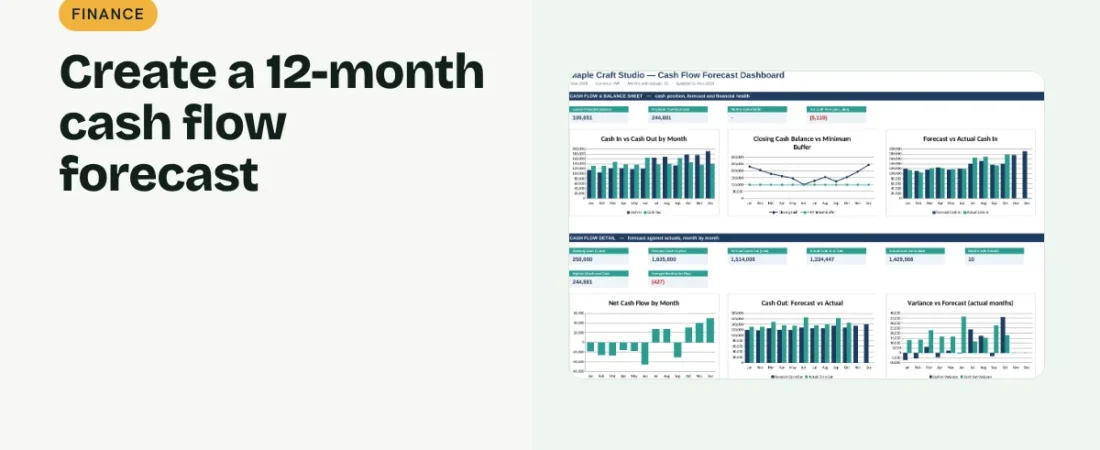
Profit does not pay the bills; cash does. A forecast shows when money will be tight before it happens, so you can delay a purchase, chase invoices or arrange funding in time. Here is how to create a cash flow forecast in Excel for the next 12 months.
1. Start from your opening balance
Enter the cash and bank balance at the start of the period. Every month’s closing balance becomes the next month’s opening balance, so the starting figure matters.
2. Forecast cash in and cash out each month
List expected receipts: customer payments, loans received and any other income. Then list payments: suppliers, rent, salaries, EMIs, tax and owner drawings. Use when the cash actually moves, not when the invoice is raised.
Example: three months
| Month | Cash in | Cash out | Net | Closing (opening ₹2,50,000) |
|---|---|---|---|---|
| Jan | 1,20,000 | 1,18,000 | 2,000 | 2,52,000 |
| Feb | 1,10,000 | 1,17,000 | -7,000 | 2,45,000 |
| Mar | 1,15,000 | 1,25,000 | -10,000 | 2,35,000 |
With a minimum buffer of ₹1,00,000 every month here is safe, but the trend is downward and worth watching.
3. Calculate net flow and closing balance
Net cash flow is cash in minus cash out. Closing balance is opening balance plus net flow. Add a minimum buffer and flag any month that falls below it with conditional formatting.
4. Replace forecast with actuals as months close
When a month ends, swap the forecast for actual receipts and payments, ideally summed from your transaction log with SUMIFS. Keep the original forecast beside it so you can see how accurate your planning was.
Tips for a realistic forecast
Be conservative with receipts
Assume customers pay on their usual timing, not your payment terms. Late payments are the most common reason forecasts fail.
Include irregular payments
Annual insurance, festival bonuses, tax payments and equipment purchases are easy to forget and can create a sudden dip.
FAQs
How far ahead should I forecast?
Twelve months gives a useful view of seasonality. Review the next three months most closely, because they are the most certain.
Should loans appear in a cash flow forecast?
Yes. Loan money received is cash in, and the full EMI is cash out, even though only the interest is an expense in the P&L.
How often should I update it?
Monthly at minimum, and whenever a large receipt or payment changes.
Get the template
The ReadySheets Cash Flow Forecast plans 12 months of cash, switches past months to actuals automatically and warns when you dip below your buffer. It pairs well with the Profit & Loss Statement.
Related guides: How to Make a Profit and Loss Statement in Excel · How to Track Business Income and Expenses in Excel