
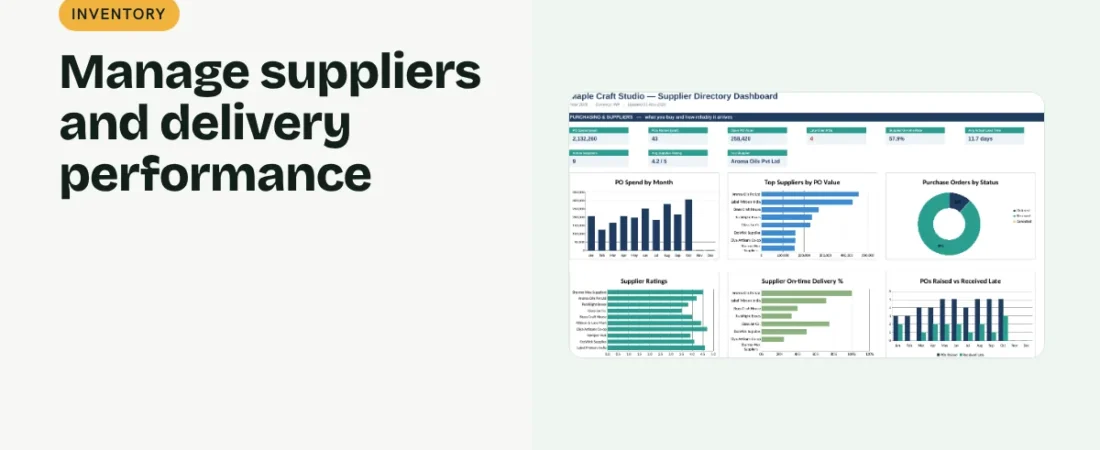
Good suppliers keep you in stock and on budget; unreliable ones cost sales. This guide shows how to manage suppliers in Excel with a directory that also measures delivery performance and spend.
1. Build the supplier directory
Record Supplier ID, name, category, contact person, phone, email, city, payment terms and typical lead time. Give each supplier an ID so purchase orders can refer to it.
2. Link purchase orders
Keep a PO log with PO number, supplier ID, date, amount, expected date and received date. This is where performance data comes from.
Example summary
| Supplier | POs | Spend (₹) | On-time | Rating |
|---|---|---|---|---|
| Aroma Oils Pvt Ltd | 14 | 2,10,000 | 93% | 5 |
| Glass Jar Co. | 9 | 1,26,000 | 67% | 3 |
3. Measure on-time delivery and spend
For each supplier, count POs and total value with COUNTIFS and SUMIFS. On-time delivery % = POs received by the expected date ÷ POs received.
4. Rate and review
Add a simple 1–5 rating for quality and service. Review suppliers with low on-time rates or ratings and discuss improvements or alternatives.
Supplier tips
Keep a backup supplier
For critical items, note a second source so one delay does not stop sales.
Record agreed terms
Write down payment terms and price agreements so they are easy to check.
Track price changes
Note the date and amount whenever a supplier changes prices. Over a year this shows which suppliers keep costs stable and gives you facts for negotiation.
Share a short scorecard
Sending key suppliers their on-time rate and order volume each quarter often improves service without any confrontation.
FAQs
What should a supplier list include?
Contact details, what they supply, terms, lead time and performance notes.
How do I measure lead time?
Received date minus PO date, averaged over recent orders.
How often should I review suppliers?
Quarterly is practical for most small businesses.
Get the template
The ReadySheets Supplier Directory keeps contacts and terms together and shows spend, on-time delivery and top suppliers from your PO log on a dashboard.
Related guides: How to Create a Purchase Order in Excel · How to Track Inventory in Excel for a Small Business