
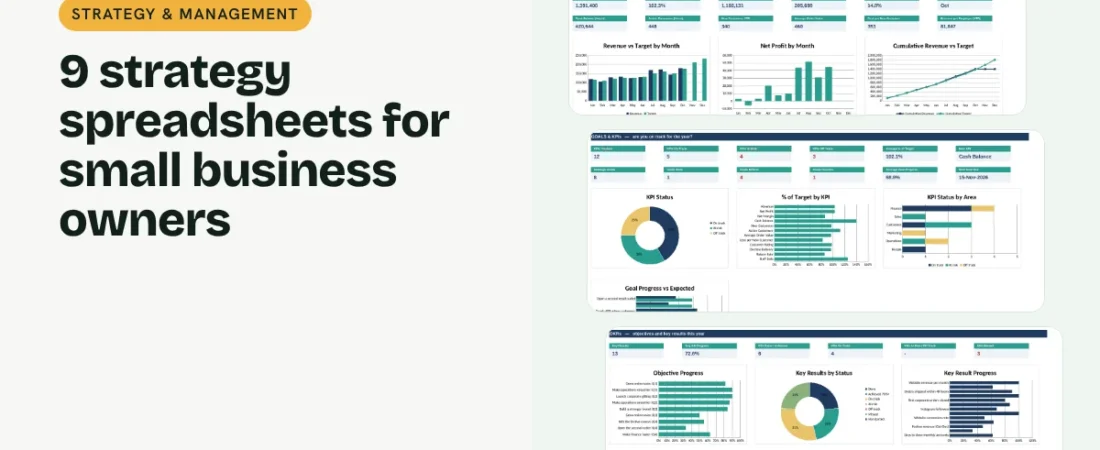
Strategy spreadsheets help a small business owner step out of the daily rush and answer the bigger questions: are we on track for the year, what are we focused on this quarter, what could go wrong, and what have we told the people who backed us? Nine linked spreadsheets cover all of it. This guide walks through each one and how to use them together in a simple monthly and quarterly rhythm.
1. Track the numbers that matter every month
A Business Dashboard takes one row a month: revenue and target, costs, cash, customers, orders and headcount. An Annual Goal & KPI Tracker sets yearly targets for your key numbers and shows which are on track, at risk or off track, alongside progress on your big goals.
2. Turn goals into quarterly OKRs
An OKR Tracker breaks each goal into an objective with two to four measurable key results for the quarter. Enter a start value, a target and the current value; progress and status work themselves out against how much of the quarter has passed. After the quarter, 70% or more counts as achieved.
Example: an OKR for the festive quarter
| Key result | Start | Target | Current | Progress |
|---|---|---|---|---|
| Diwali gift sets sold | 0 | 1,200 | 760 | 63% |
| Festive revenue (Oct-Dec) | 0 | 6,50,000 | 3,10,000 | 48% |
| Days to close monthly accounts | 18 | 10 | 13 | 63% |
Lower-is-better results, like days to close the books, work the same way: progress is how far you have moved from start towards target.
3. Plan and check your position
A Simple Business Plan keeps the plan on one page with market size and a 3-year projection. A SWOT Analysis scores strengths, weaknesses, opportunities and threats by impact and urgency and turns them into actions. A Startup Cost Calculator costs any new venture with a contingency buffer and funding plan.
4. Manage risk and record decisions
A Risk Register scores each risk by likelihood and impact before and after mitigation, shows a heat map and flags overdue reviews. A Decision Log records options, reasons and what you expected, then asks you to review whether it worked, so the business learns from its own choices.
5. Keep your board and investors informed
A Board & Investor Update Tracker pulls revenue, profit and cash from the dashboard for each month, adds your highlights, challenges and asks, and tracks when each update was sent and the actions agreed in meetings.
Tips for using strategy spreadsheets
Keep OKRs few
Three objectives with three key results each is plenty for a small team.
Review risks monthly
Five minutes on the risk register beats a surprise.
Write decisions down when you make them
Your reasons are easy to forget and useful to revisit.
Send updates even in bad months
Investors and lenders trust owners who share problems early.
FAQs
What is the difference between KPIs and OKRs?
KPIs are numbers you watch all the time, like revenue or margin. OKRs are what you want to change this quarter, with measurable key results.
How do I score risks?
Rate likelihood and impact from 1 to 5 and multiply them. 15 or more is high, 8 to 14 medium and below 8 low.
Do these templates work in Google Sheets?
Yes. Upload the Excel file to Google Drive and open it with Google Sheets. Formulas, dropdowns and charts carry over.
What should a monthly investor update include?
Key numbers, highlights, challenges and any asks. The Board & Investor Update Tracker has a row for each month.
Where can I get all 9 templates?
Our Strategy & Management Bundle has all 9 linked in one workbook with a dashboard and quick start guide.
Get the template
Get all 9 strategy spreadsheets, linked in one workbook with a dashboard, in the Strategy & Management Bundle. It works in Excel and Google Sheets and comes with sample data and a PDF quick start guide.
Related guides: How to Do a SWOT Analysis for a Small Business · How to Write a Simple Business Plan (with a Free Structure) · How to Calculate Startup Costs for a New Business · How to Create a Small Business Dashboard in Excel