
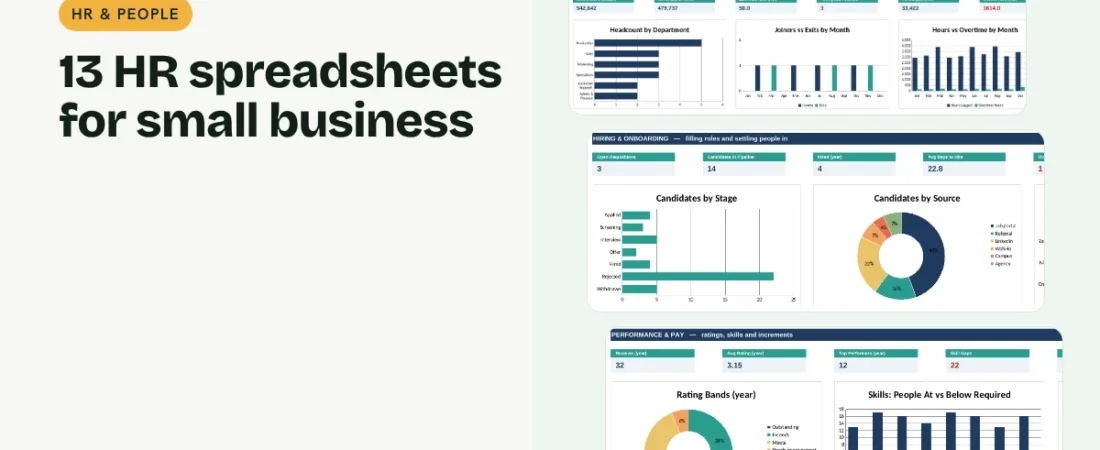
Good HR spreadsheets give a small business one place for everything about its people, from the first job post to the last payslip, without paying for HR software. This guide walks through thirteen linked templates that cover hiring, onboarding, time and pay, reviews, training and exits, all reading from one employee list.
1. Start with one employee list
The Employee Directory holds everyone who works or worked for you: department, role, join date, salary, status and exit date. Every other sheet reads names and departments from it, so you type each person once. Keep people who left with Status set to Exited so headcount and attrition history stay correct.
2. Hire with a simple pipeline
Open each role on the Recruitment Tracker with a target fill date, then move candidates through Applied, Screening, Interview, Offer and Hired. Each role shows its candidates, offers, days open and an Overdue flag. The Interview Scorecard rates candidates 1 to 5 on weighted criteria and marks them Hire, Maybe or Do not hire against your pass score.
Example: from rating to increment
| Person | Overall rating | Band | Suggested increment |
|---|---|---|---|
| Production lead | 4.2 | Exceeds | 10% |
| Support executive | 3.1 | Meets | 7% |
| Packer | 2.2 | Needs improvement | 3% |
Change the suggested percentages to match your own policy. If the total goes over budget, the planner shows the budget used above 100% in red.
3. Onboard new joiners properly
Set your standard onboarding tasks once with the number of days after joining each is due. Add a new joiner and their tasks, and the checklist works out due dates from their join date, flags overdue tasks and shows each person’s progress.
4. Track time and run payroll
Mark attendance for the payroll month with simple codes, log leave requests and see balances against yearly entitlement. Weekly Timesheets total hours and overtime. The Payroll Calculator turns attendance into paid days and works out basic, HRA, PF, ESI, professional tax, TDS and net pay, and Payroll History keeps monthly totals for trends.
5. Review performance and plan increments
Rate each person on weighted criteria each review cycle; the overall score sets a rating band from Outstanding to Unsatisfactory. Pick the cycle on the Salary Increment Planner and each band suggests an increment, which you can override. The planner totals the annual cost and checks it against your increment budget.
6. Grow skills and handle exits well
The Training Tracker records sessions, attendance, hours, cost per person and feedback. The Skills Matrix compares each person’s skill levels with what their department needs and counts the gaps. When someone leaves, the Exit Tracker records notice served, shortfall, exit interview, assets returned and full-and-final settlement.
Tips for HR records that stay useful
Never delete people who left
Mark them Exited with an exit date. Attrition, tenure and headcount history depend on it.
Close the payroll month the same way every time
Change the payroll month, fill attendance, check payroll and copy the totals into Payroll History before you move on.
Review on a fixed cycle
Two cycles a year with the same weights makes ratings comparable and increments easier to explain.
FAQs
Can I use these HR spreadsheets in Google Sheets?
Yes. Upload the .xlsx file to Google Drive and choose Open with, then Google Sheets. Formulas, dropdowns, colours and charts all work.
Are the PF, ESI and professional tax rates correct for my state?
They are common Indian defaults and can be changed on the Payroll sheet. Check the current rules for your state and business, or set a rate to 0 if it does not apply.
How many employees does it handle?
Up to 100 people in the Directory and 50 current employees on the monthly sheets, which suits most small businesses.
Do I need to write formulas?
No. Fill in the blue cells. Grey cells calculate on their own and the dashboard updates automatically.
Get the template
The HR & People Bundle includes all 13 templates in one linked workbook with a dashboard of 30 KPIs and 12 charts, sample data and a PDF quick start guide.
Related guides: 7 Project Management Spreadsheets for Small Business: Tasks to Office Admin · 10 Inventory Management Spreadsheets for Small Business: Stock to Maintenance