
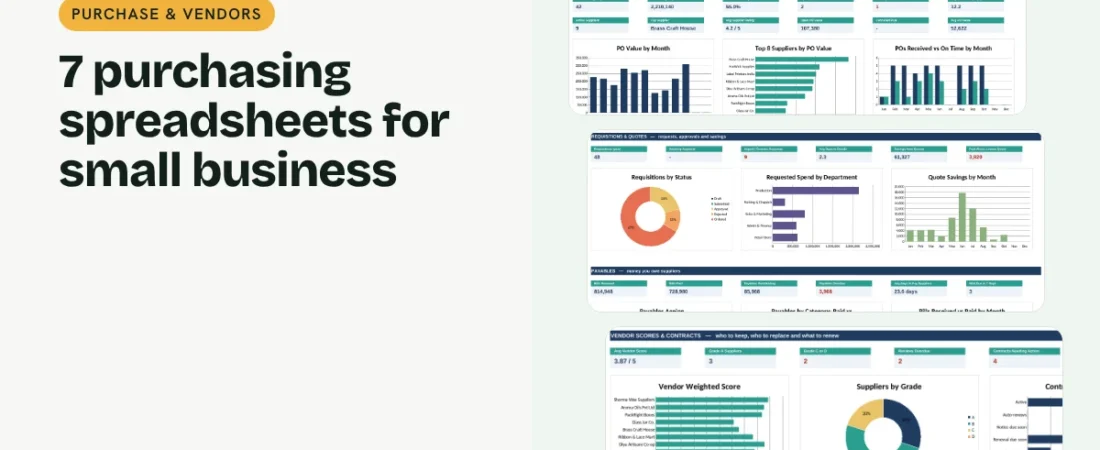
Purchasing spreadsheets keep a small business from overpaying, running out of stock or missing a supplier payment. You do not need procurement software to buy well. Seven linked spreadsheets cover the whole cycle: a request, a price comparison, a purchase order, delivery, the supplier bill, a supplier review and the contract renewal. This guide walks through each step.
1. Start with a requisition
A Purchase Requisition Log lets anyone ask for what they need, with the quantity, a need-by date and a reason. The owner approves or rejects it, and the sheet shows the estimated cost, how long decisions take and which requests are urgent.
2. Compare at least three quotes
A Price Comparison sheet records up to three supplier quotes for each purchase. It finds the lowest price and the fastest delivery, shows the saving against the highest quote and flags when you chose to pay more than the lowest price.
Example: comparing three quotes for soy wax
| Supplier | Price per bag | Lead time | Total for 10 bags |
|---|---|---|---|
| Supplier A | 4,150 | 7 days | 41,500 |
| Supplier B | 4,420 | 4 days | 44,200 |
| Supplier C | 4,600 | 10 days | 46,000 |
Choosing Supplier A saves 4,500 against the highest quote. If you need the wax in four days, Supplier B costs 2,700 more, and the sheet shows that premium.
3. Raise a proper purchase order
A printable Purchase Order fills in the supplier’s details and each item’s cost. The PO Log tracks expected and received dates, so late deliveries and real lead times are visible for every supplier in the Supplier Directory.
4. Pay suppliers on time
An Accounts Payable tracker lists every supplier bill with its due date and ageing, so you can plan cash, take early-payment discounts and keep good terms with the suppliers you rely on.
5. Review suppliers and contracts
A Vendor Evaluation Scorecard scores each supplier on quality, price, responsiveness and paperwork, with delivery scored automatically from your PO history. A Contract & Renewal Tracker shows notice deadlines so you renegotiate before contracts roll over.
Tips for buying better
Keep one item list
Use one SKU per item so prices, quotes and POs line up.
Get quotes for anything regular
Even a 5% saving on raw materials adds up over a year.
Measure delivery, not promises
On-time % from your own POs is the fairest supplier score.
Diarise notice periods
Many contracts renew automatically if you miss the notice window.
FAQs
What is a purchase requisition?
An internal request to buy something, approved before a purchase order is raised.
How many quotes should I get?
Three is the usual rule for anything you buy regularly or that costs more than a set amount.
Do these templates work in Google Sheets?
Yes. Upload the Excel file to Google Drive and open it with Google Sheets. Formulas, dropdowns and charts carry over.
How do I score suppliers?
Rate each criterion from 1 to 5, give each a weight and take the weighted average. The scorecard does this and grades suppliers A to D.
Where can I get all 7 templates?
Our Purchase & Vendors Bundle has all 7 linked in one workbook with a dashboard and quick start guide.
Get the template
Get all 7 purchasing spreadsheets, linked in one workbook with a dashboard, in the Purchase & Vendors Bundle. It works in Excel and Google Sheets and comes with sample data and a PDF quick start guide.
Related guides: How to Create a Purchase Order in Excel · How to Manage Suppliers in Excel · How to Track Accounts Payable in Excel