
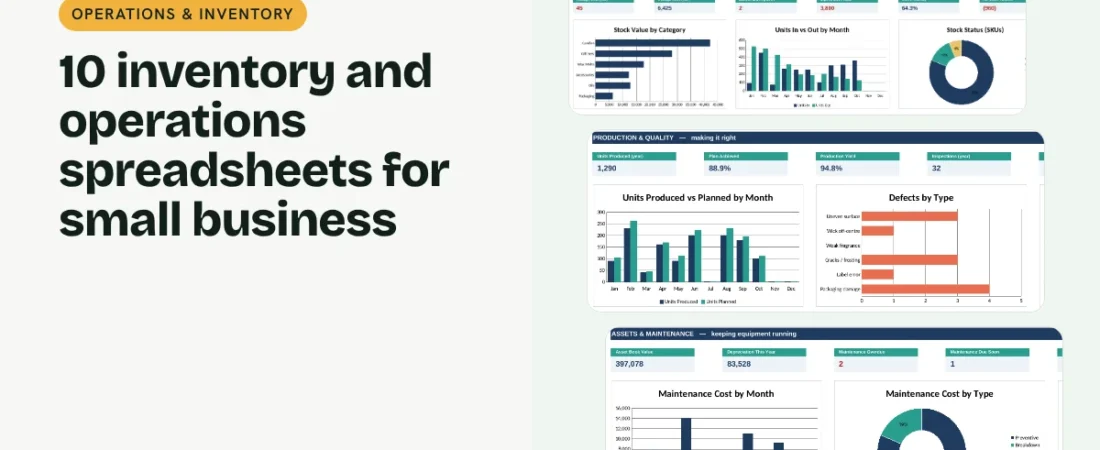
Good inventory management spreadsheets tell you what you hold, what moved, what is about to expire and what to reorder, without paying for an inventory system. This guide walks through ten linked templates that cover stock, orders and dispatch, production and quality, and the equipment that keeps it all running.
1. List your products once
Start with the Inventory Tracker: SKU, name, category, unit cost, selling price, opening stock and reorder level. Stock in and stock out are not typed in. They add up on their own from the movement log and from completed production runs, so the current stock, value, margin and reorder status are always based on what actually happened.
2. Log every movement
Record purchases, sales, wastage, customer returns and adjustments on the Stock Movement Log with a date, SKU, type and quantity. Each line shows its value at cost, so you can see what wastage cost you this year, not just how many units went in the bin.
Example: how stock adds up for one product
| Source | Units | Effect on stock |
|---|---|---|
| Opening stock | 120 | 120 |
| Completed production runs (good units) | 300 | +300 |
| Sales on the movement log | 340 | -340 |
| Wastage (melted in transit) | 12 | -12 |
| Current stock | 68 |
If the reorder level is 40, the status shows OK. After the next 30 sales it switches to Reorder on its own.
3. Track batches and expiry
Candles, oils, food and cosmetics have a shelf life. The Batch and Expiry Tracker lists each batch with its expiry date and quantity left, and flags anything expiring within the alert window you set in Settings, with its value. Sell or use those batches first.
4. Count stock and fix the gaps
Once a month, type the counted quantity next to each product on the Stock Count sheet. You get the variance, its value and a Match, Short or Excess status, plus a count accuracy figure on the dashboard. Once you have checked a variance, post it as an Adjustment on the movement log so the system stock matches the shelf.
5. Ship on time and pick the right courier
The Order Tracker follows each order from received to delivered and checks delivery days against your target. Courier Performance then shows shipments, on-time rate, returns and estimated shipping cost for each courier, so you know which one deserves more of your parcels.
6. Plan production, check quality, maintain equipment
The Production Planner records planned, produced and rejected units for each run, with yield and plan achieved; good units from completed runs go straight into stock. The Quality Control Log marks each inspection Pass or Fail against your defect limit. The Asset Register and Maintenance Schedule show book value, depreciation, next service dates, overdue jobs, maintenance cost and downtime.
Tips for accurate stock
Never type over stock totals
If a number looks wrong, add an adjustment on the movement log with a note. The history then explains every change.
Count a few items every week
Counting 20% of products each week is easier than a full count once a quarter, and mistakes surface sooner.
Record rejects honestly
Yield is only useful if rejected units are logged. A drop in yield is often the first sign a machine needs service.
FAQs
Can I use these inventory management spreadsheets in Google Sheets?
Yes. Upload the .xlsx file to Google Drive and choose Open with, then Google Sheets. Formulas, dropdowns, colours and charts all work.
How many products and movements can it hold?
200 products, 1,500 stock movements, 500 orders, 300 production runs, 300 inspections, 100 assets and 500 maintenance jobs.
Does it work for a business that does not manufacture?
Yes. Leave the Production and Quality Control sheets empty and record purchases on the movement log. Everything else works as normal.
Do I need to write formulas?
No. Fill in the blue cells. Grey cells calculate on their own and the dashboard updates automatically.
Get the template
The Operations & Inventory Bundle includes all 10 templates in one linked workbook with a dashboard of 30 KPIs and 12 charts, sample data and a PDF quick start guide.
Related guides: 7 Purchasing Spreadsheets for Small Business: Request to Renewal · 7 Project Management Spreadsheets for Small Business: Tasks to Office Admin