
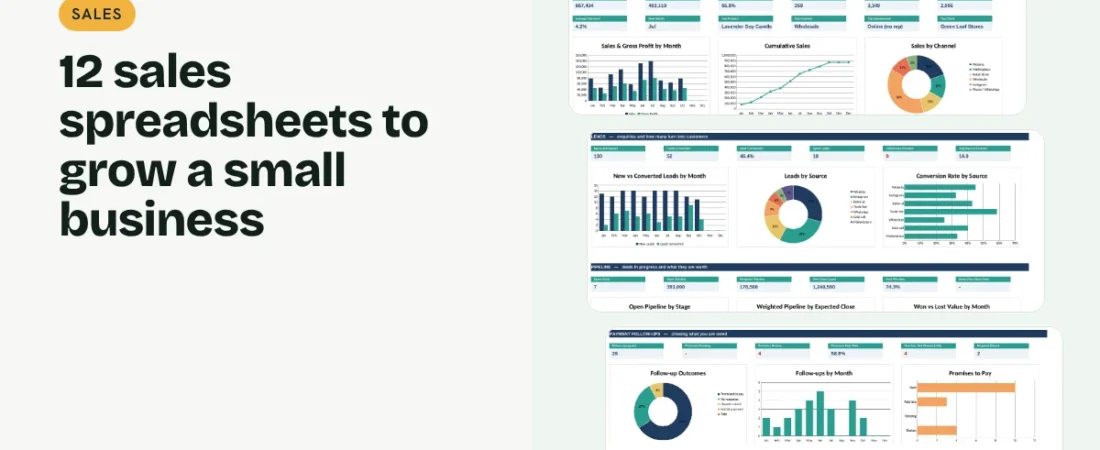
Sales spreadsheets for small business owners answer three questions every week: where will the next sale come from, who still owes us money, and is the team on target? You do not need an expensive CRM to answer them. Twelve linked spreadsheets cover the whole journey from first enquiry to money in the bank. This guide walks through each one, grouped into four jobs: find customers, sell, get paid and manage the team.
1. Capture every lead
A Lead Tracker logs each enquiry with its source, owner, status and next follow-up date. Within a month you can see which sources bring customers who actually buy, and which leads are going cold because nobody called back.
2. Manage deals in a pipeline
A Sales Pipeline (a simple CRM) moves each deal through stages such as prospect, proposal and negotiation. Give each stage a probability and the sheet gives you a weighted forecast of what is likely to close and when.
Example: a 20-minute weekly sales review
| Step | Sheet | What to check |
|---|---|---|
| 1 | Leads | Follow-ups that are overdue or due today |
| 2 | Pipeline | Deals past their close date and the weighted forecast |
| 3 | Receivables | Overdue invoices by client |
| 4 | Follow-ups | Broken promises and invoices nobody chased |
| 5 | Targets | Achievement to date for each person |
| 6 | Dashboard | Sales, margin and conversion for the month |
Twenty minutes a week keeps leads warm, deals moving and cash coming in.
3. Track every sale
A Sales Tracker with a Product Catalogue / Price List fills in price, cost and profit when you pick a product, so you see margin by product, channel and salesperson. A Discount & Offer Tracker tags sales with an offer code to show what each promotion earned and cost.
4. Quote, invoice and get paid
A Quotation with a quote log, an Invoice with an invoice log and a Payment Receipt cover the paperwork. Accounts Receivable shows who owes you and how overdue it is, and a Payment Follow-up Log records every reminder and promise to pay, so you know which promises were kept.
5. Set targets and reward your team
A Sales Target & Commission sheet sets monthly targets per person and works out achievement and commission, with a bonus in months the target is met. A Sales Rep Performance sheet puts sales, margin, lead conversion, win rate and pipeline for each salesperson on one row.
Tips for sales spreadsheets that stay useful
Use codes for clients and products
Typing names by hand splits your reports. Pick codes from a dropdown and let the sheet fill in the rest.
Always set a next step
A lead or deal without a next follow-up date is a lead you will forget.
Log promises to pay
When a client promises a date, write it down. A kept-promise rate tells you who to trust with credit.
Pay commission on collected sales
If cash is tight, base commission on paid invoices rather than invoiced sales.
FAQs
Can I use a spreadsheet as a CRM?
Yes. For a small team, a lead tracker plus a deal pipeline in one workbook covers most of what a CRM does, without monthly fees.
Do these templates work in Google Sheets?
Yes. Upload the Excel file to Google Drive and open it with Google Sheets. Formulas, dropdowns and charts carry over.
How is weighted pipeline calculated?
Each deal value is multiplied by the probability of its stage, for example 50% for a proposal sent, and the results are added up.
How do I calculate sales commission in Excel?
Multiply each person’s sales by their commission rate, and add a bonus rate in months they meet their target. The Sales Target & Commission template does this for you.
Where can I get all 12 templates?
Our Sales Bundle has all 12 linked in one workbook with a dashboard and quick start guide.
Get the template
Get all 12 sales spreadsheets for small business, linked in one workbook with a dashboard, in the Sales Bundle. It works in Excel and Google Sheets and comes with sample data and a PDF quick start guide.
Related guides: How to Track Sales in Excel · How to Track Customer Leads in Excel · How to Track Accounts Receivable in Excel · How to Make a Quotation in Excel