
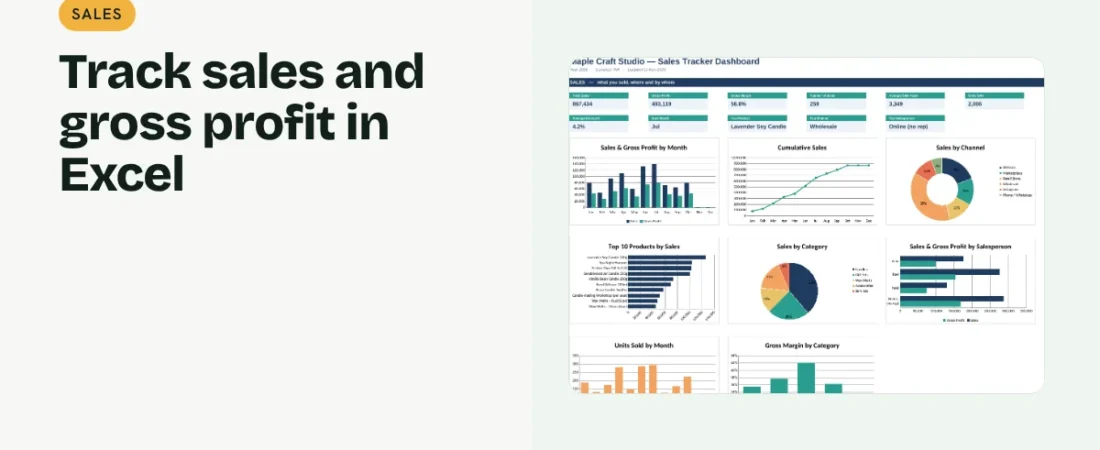
Knowing your total sales is useful. Knowing which products, clients and channels bring in the profit is far more useful. This guide shows how to track sales in Excel so a simple list of orders turns into clear answers about what sells.
1. Set up product and client lists
Create a product list with code, name, category, price and unit cost, and a client list with an ID and name. These become dropdowns so every sale uses consistent names.
2. Record one row per sale
Capture Date, Order No, Client, Product, Quantity, Unit Price, Discount, Channel and Salesperson. Look up the unit cost from the product list with INDEX/MATCH so gross profit is calculated automatically.
Example sale
| Product | Qty | Price | Disc. | Net sales | Cost | Gross profit |
|---|---|---|---|---|---|---|
| Soy candle 200g | 10 | 549 | 10% | 4,941 | 2,000 | 2,941 |
Gross margin on this sale is about 59.5%.
3. Calculate net sales and gross profit
Net sales = quantity × price × (1 − discount). Cost = quantity × unit cost. Gross profit = net sales − cost. Margin = gross profit ÷ net sales.
4. Summarize by month, product and channel
Use SUMIFS or a PivotTable to total sales and profit by month, product, category, client, channel and salesperson. Rank the top products and clients so the best performers stand out.
Get better sales data
Record discounts separately
A discount column shows how much revenue you give away, which a lower typed price would hide.
Use a channel field
Website, marketplace, wholesale and walk-in sales often have very different margins.
FAQs
What is the difference between revenue and gross profit?
Revenue is what customers pay. Gross profit is revenue minus the direct cost of what you sold.
Should returns be tracked?
Yes. Record them as negative quantities or a separate status so totals stay accurate.
How often should I review sales?
Weekly for activity, monthly for trends and profit by product and channel.
Get the template
The ReadySheets Sales Tracker fills in prices and costs from dropdowns and shows sales, gross profit and top products, clients and channels on its dashboard.
Related guides: How to Track Customer Leads in Excel · How to Track Accounts Receivable in Excel