
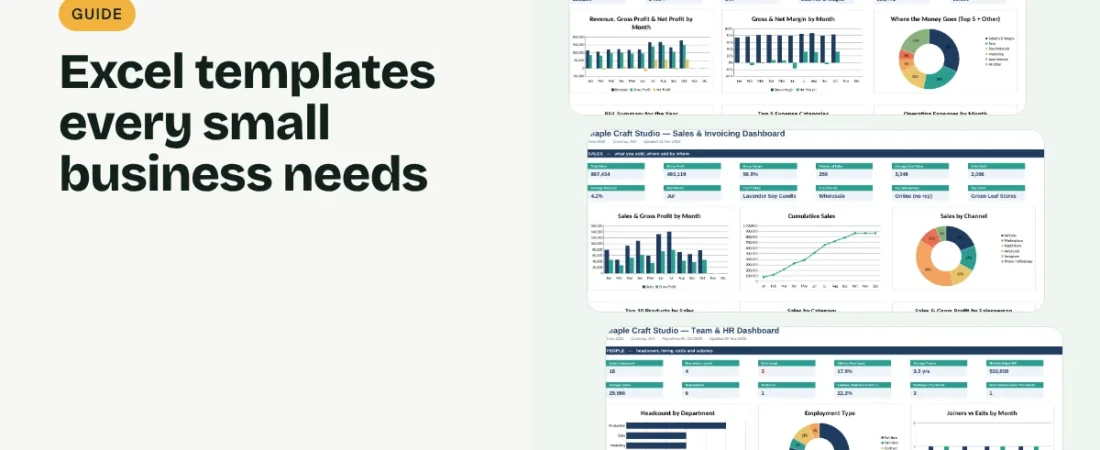
Most owners do not need dozens of apps. They need a few dependable records and a clear view of the numbers. This guide sorts the Excel templates for small business owners into six areas, explains what each one is for and suggests the order to set them up, so you build a system you will actually keep up to date.
1. Start with money: income, expenses and cash
Every other report depends on a clean record of what came in and what went out. Begin with an income and expense log, then add a profit and loss statement and a cash flow forecast built from it. If you borrow or charge GST, a loan tracker and a GST tracker keep those obligations visible.
2. Add sales and invoicing
Once money is tracked, record each sale, send consistent quotations and invoices, and keep a log of who has paid. Receivables and payables trackers show what customers owe you and what you owe suppliers, which is often where cash gets stuck.
A sensible setup order
| Week | Set up | Why first |
|---|---|---|
| 1 | Income & expense log, budget | Everything else reads from these numbers |
| 2 | Invoices, receivables, sales tracker | Gets cash in on time |
| 3 | Inventory, suppliers, orders | Only if you sell physical products |
| 4 | Customers, team, planning | Adds growth and people records |
Add one area at a time and use it for a few weeks before moving on. A small system that is kept current beats a large one that is half empty.
3. Track stock and operations if you sell products
Product businesses benefit from an inventory list with reorder levels, a supplier directory, purchase orders and an order tracker. Service businesses can skip most of this and keep only an asset register for equipment.
4. Keep customers, team and plans in view
A customer database, a simple marketing budget and a feedback log help you keep and grow customers. As you hire, an employee directory, attendance and payroll records become essential. A startup cost calculator, business plan and SWOT analysis support bigger decisions.
Mistakes to avoid
Typing the same number in several files
Decide where each record is first entered and let other sheets read from it. Retyping totals is the most common source of mismatched reports.
Choosing templates you will not maintain
Pick templates that match how often you review the business. A daily log you update weekly is fine; a daily log you never open is not.
FAQs
Are Excel templates enough for a small business?
For many small and early-stage businesses, yes. Spreadsheets handle tracking, reporting and planning well. Consider dedicated software when transaction volume, multi-user editing or compliance needs grow.
Do these templates work in Google Sheets?
Templates built with standard formulas, dropdowns and charts generally open in Google Sheets. Check each template’s compatibility notes before you buy.
Which template should I start with?
Start with an income and expense log. It feeds your profit, budget and cash reports, so the rest of the system has reliable numbers to work from.
Get the template
Want all of them ready to use? The ReadySheets Small Business Complete Bundle includes 38 templates in six linked workbooks, each with its own dashboard, covering finance, sales, inventory, customers, team and planning. If you only need the core finance and sales set, the Pro Bundle has 28.
Related guides: How to Build a Spreadsheet System for a Small Business · How to Organize Small Business Spreadsheets